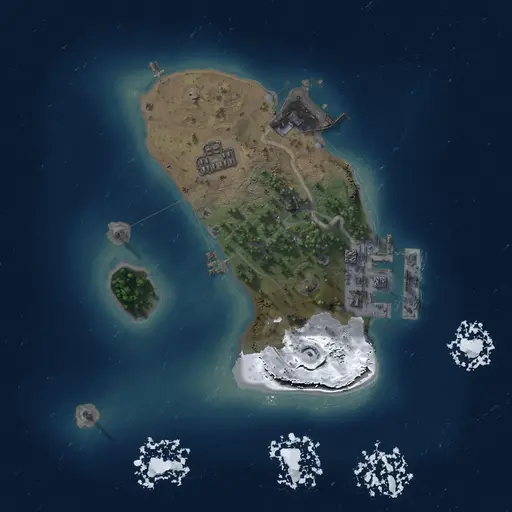
 Procedural Map
1,500 · Seed 50000 · 203 servers
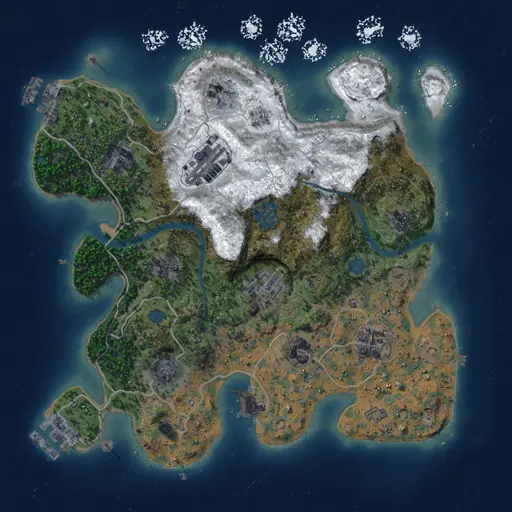 Procedural Map
3,000 · Seed 1 · 105 servers
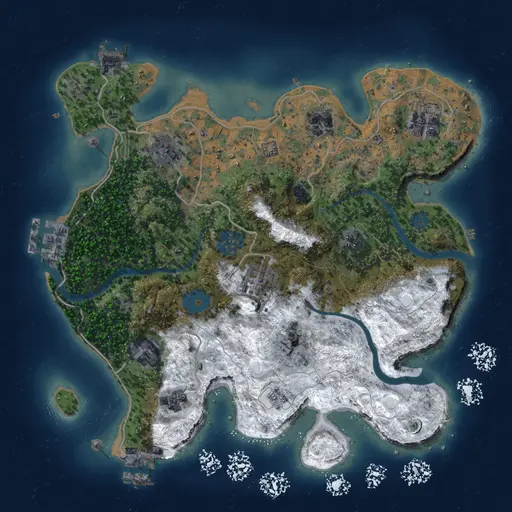 Procedural Map
3,000 · Seed 50000 · 105 servers
Frequently asked questions
Below you find a list of frequently asked questions and the according answers. More questions? Ask us on Discord.
For players
Can you unban me? Topics: Ban
No, we cannot unban you. We don't run any servers, we only list them.
If you got banned, contact the server owner directly. Where we know them, the server page shows the server's Discord, website or other contact links under "Contact & support". If no links are listed there, we don't have any other contact data. Our guide How to get unbanned from a Rust server explains the usual steps.
I have issues playing on a Rust server. Can you help me? Topics: Server Support
Just Wiped is a listing platform. We collect server data and combine it into a Rust server listing with extra information like wipe times, ratings and a player history. We do not run any servers ourselves. If you have problems on a server, questions about a server or need to contact the owner for another reason, we cannot help you with that. Where we know them, we list the website, Discord or other contact links of the server on its page, but we have no information beyond that.
Here are some examples where you need to contact the server admin or owner directly:
- The Rust server is outdated and needs an update.
- Somebody is hacking, insulting or doing other things against the servers rules.
- Some admin is doing things that are against the server rules.
- A group is exceeding the maximum group size.
- You have a bug and some items are gone.
- You got banned or kicked and think this was the wrong decision.
If our page shows wrong information about a server, you can't find a server in the listing anymore or you have a general question, feel free to contact us on Discord.
How do you predict the next wipe? Topics: Upcoming Wipe
Every next-wipe time on just-wiped comes from one of three sources. The label next to it tells you which one:
- Confirmed: the server owner announced the wipe time on just-wiped.
- Estimated: worked out from the server's wipe tag or from the wipes we tracked, if they follow a regular pattern.
- Uncertain: an estimate from the wipe history that is less certain than usual, for example because the wipe times vary.
An estimate is not a promise. Servers can wipe earlier or later, skip a wipe or change their schedule. If wipe times vary too much or we have tracked too few wipes, we show no next wipe instead of guessing.
Server owners can confirm their wipe time by claiming their server and setting a wipe schedule.
For owners
How can I add my Rust server? Topics: Listing Server
Most servers are picked up automatically: we read the Steam server list every few hours and add new public Rust servers from it.
If your server is missing or you don't want to wait, sign in with Steam and open Add or claim your server. Enter your server's IP with the query port (not the game port), for example 203.0.113.24:28016. We query the server live and add it right away if it is a public, dedicated Rust server without a password.
Can't find your server in the lists? New servers have no rating yet, and the server directory hides servers below a 40% rating by default. Remove the "Min score: 40%+" filter chip or search for the server by name or IP.
How can I increase my "Server Information" rating? Topics: Rating Server
The server information rating is based on various properties of your server. Its objective is to provide useful information for the player using your server.
Here is a listing of considered information:
- Teamspeak URL, Discord URL, Steam Community URL, Website URL
- Having a unique and lasting name like "Rustafied", "Rusty Piglets" or similar
- Provide exact wipe information like date, time and timezone (dates with digits only, no word like 'March')
- Provide a max group size
- Have a meaningful server name (nothing like "Rust Server")
- Have a neat description with useful information for your players
All of this is combined into the information rating.
How long does it take to update the query port? Topics: Server Settings Support
Changing the query port leads to a new Steam server listing. We read the Steam server list every 6 hours, so it can take up to 6 hours until the server shows up with the new query port. With Add or claim your server you can add it right away. After changing the query port, the existing server entry is not updated anymore.
When are wipes marked as blueprint wipe? Topics: Blueprint Wipe Server Wipe
Every time a server wipes, we check if the title contains text like "full wipe", "bp wipe" or similar. If you wipe blueprints on your server and put such a text in the server title, your wipe gets marked as "BP Wipe".
Why is my Rust server marked as inactive? Topics: Inactive Listing Server
There are two reasons why a Rust server gets marked as inactive.
The first reason is that your server has not answered our update queries for a certain time. In that case we assume that the server is broken, offline or not reachable for another reason.
The second reason is that Steam no longer lists the server, which means Steam considers it inactive. If your server is still up and running, there can be various reasons for that. You can check the Steam listing yourself: open Rust, search for your server in the in-game server list and hit the refresh button so all data is updated. Most likely your server is missing there as well. To fix this, try to restart your server and check your plugins; some server owners reported that their server got listed again after they deactivated certain plugins. Once your server is listed in game again, it will soon be active on Just Wiped too.
Why is my servers wipe not shown? Topics: Server Support Wipe
This can have several reasons.
First check when your server was crawled the last time. The server page shows when we last saw it; that time should be after your wipe actually happened. If it is not, you can trigger a server update in your ownership settings.
To list a wipe, the map seed or map size of the server has to change. If we find a change, the server is marked as wiped. If you keep playing with the same map settings or use a custom map, you need to provide the date and time of your wipe in the server description or in the title. Add a timezone, so the time is matched correctly.
Please note:
- If you put the time only in the description, the server title still needs to change somehow. Otherwise the description is only evaluated every hour.
- Changing the map name does not create a new wipe entry anymore.
- The "hardcore" mode removes the map seed from the data, so wipes can no longer be detected by a changed seed.
Why is there no map generated for my Rust server? Topics: Map Server
There can be several reasons why there is no map image for your Rust server yet.
Reason 1: You just wiped and the map is not rendered yet. Rendering a new map takes some time, and the more servers wipe at once, the longer it takes. Until then, the server page shows the in-game preview where one is available.
Reason 2: You use a custom map. We render custom maps from the map file link your server announces. This takes longer than for procedural maps and only works if the file can be downloaded; a private, expired or broken link means no render.
Reason 3: Your server configuration has an invalid seed or size. Make sure your seed is above 0 and below 2147483647.
Communities
How are communities created on Just Wiped? Topics: Community
Communities are created automatically from the server data we crawl. We group servers into one community when they share the same website or Discord link, or when several servers clearly carry the same brand in their name.
A community needs at least two servers. Default server names of hosters and servers without a name of their own never form a community. The grouping runs every few hours, so a new or renamed server can take a while to show up in its community.
Owners of at least two servers of the same brand can also create the community themselves in My servers.
Why is my server not in my community? Topics: Community Server
We only add a server when its name or its links clearly match the community. To get a server grouped, use the community's brand in the server name and link the same website or Discord in the server info as your other servers do.
If you manage the community, you can add servers you own yourself (see below).
Can I manage my community? Topics: Community
Yes. Verify your ownership of more than half of the community's servers (My servers › Add or claim your server). As soon as you own the majority, "Claim community" shows up in My servers. Claiming is free and takes effect right away.
As a community owner you can correct its name, hide servers that don't belong and add servers you own. While you manage it, we stop grouping servers automatically. Several people can manage a community; whoever claimed last can remove earlier owners. If you no longer own the majority, you keep managing for 14 days.
With Community Plus you can add a logo, a cover, your own background, texts, links and pinned servers.
No question matches “”.